GCP Compute Engine
Machine Family vs. Machine Type and VM creation Hands-on
What is a GCE virtual machine?
Google Compute Engine lets you create a virtual computer in the cloud. Google manages the physical server, and you use a virtual machine (VM) to run your applications.
A VM has resources such as:
CPU: How much processing work it can do.
Memory (RAM): How much data and how many programs it can handle at once.
Disk: Where the operating system, files, and applications are stored.
Network: How it communicates with other systems and the internet.
For example, suppose you create a Linux VM to practice commands, install Docker, and run a small application. You need to decide how powerful that virtual computer should be.
Key building blocks
| Concept | Meaning |
|---|---|
| Instance | The VM itself |
| Image | The OS and software the VM starts with |
| Machine family | The category of hardware |
| Machine type | The exact CPU and memory size |
| Hyperdisk / Persistent Disk | Virtual hard disks (block storage) attached to the VM |
What is a machine family?
A machine family is a category of VMs designed for a particular kind of workload.
Analogy: Think of buying a vehicle. You might choose a small car, a truck, or a sports car depending on your needs. They are all vehicles, but each is designed for different work.
GCP machine families work similarly.
| Family | Letters | Best for |
|---|---|---|
| General purpose | E2, N2, C3, N4 | For everyday applications, small servers, web applications, development, and testing. |
| Memory optimized | M3, M4, X | For applications that need very large amounts of RAM, such as large in-memory databases. |
| Compute optimized | C3, H | For CPU-intensive work such as scientific calculations, high-performance web services, and intensive data processing. |
| Storage optimized | Z | Big data and data warehouses (fast disk I/O) |
| Accelerator optimized | A, G | For demanding GPU workloads such as AI training and high-performance computing. |
Remember: The family tells you the general purpose and design of the VM. It does not tell you the exact amount of CPU and RAM you will get.
What is a machine type?
A machine type tells you the actual CPU and RAM resources your VM will receive.
For example, imagine you choose the E2 machine series. You can select a smaller or larger machine type depending on your workload.
Here is an example using E2 machine types:
| Machine type | vCPUs | Memory (RAM) |
|---|---|---|
e2-small |
Shared-core | 2 GB |
e2-medium |
Shared-core | 4 GB |
e2-standard-2 |
2 | 8 GB |
e2-standard-4 |
4 | 16 GB |
Let's break down one example: e2-standard-2 --> 2 vCPUs, 8 GB RAM
e2 = the machine series.
standard = a balanced CPU-to-memory configuration.
2 = two vCPUs.
This is a general-purpose VM configuration suitable for many small applications and learning exercises.
Hands-on: How to choose a machine family and type in GCP and create VMs.
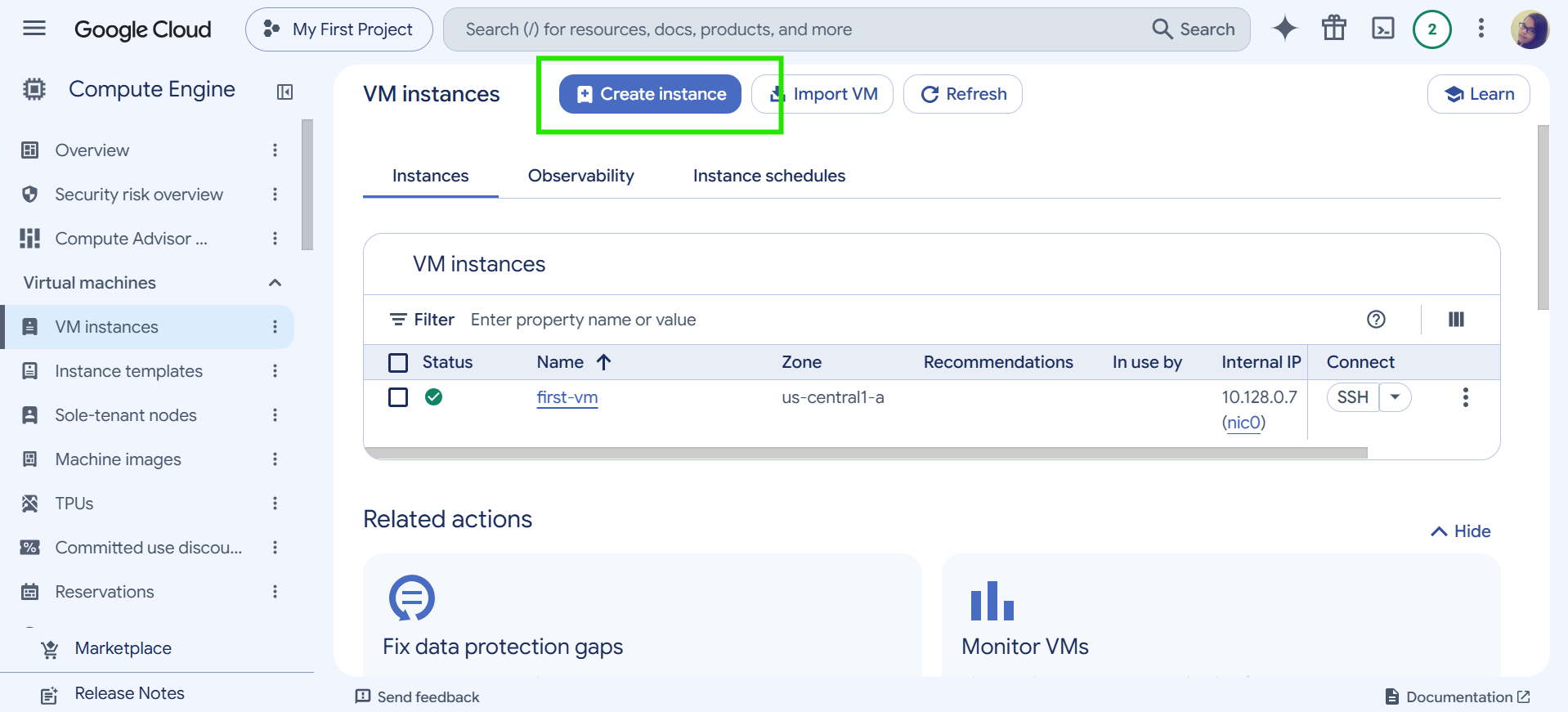
Step 1 — Open Compute Engine
Go to the Google Cloud Console, select your project, then navigate to Compute Engine → VM instances → Create instance.
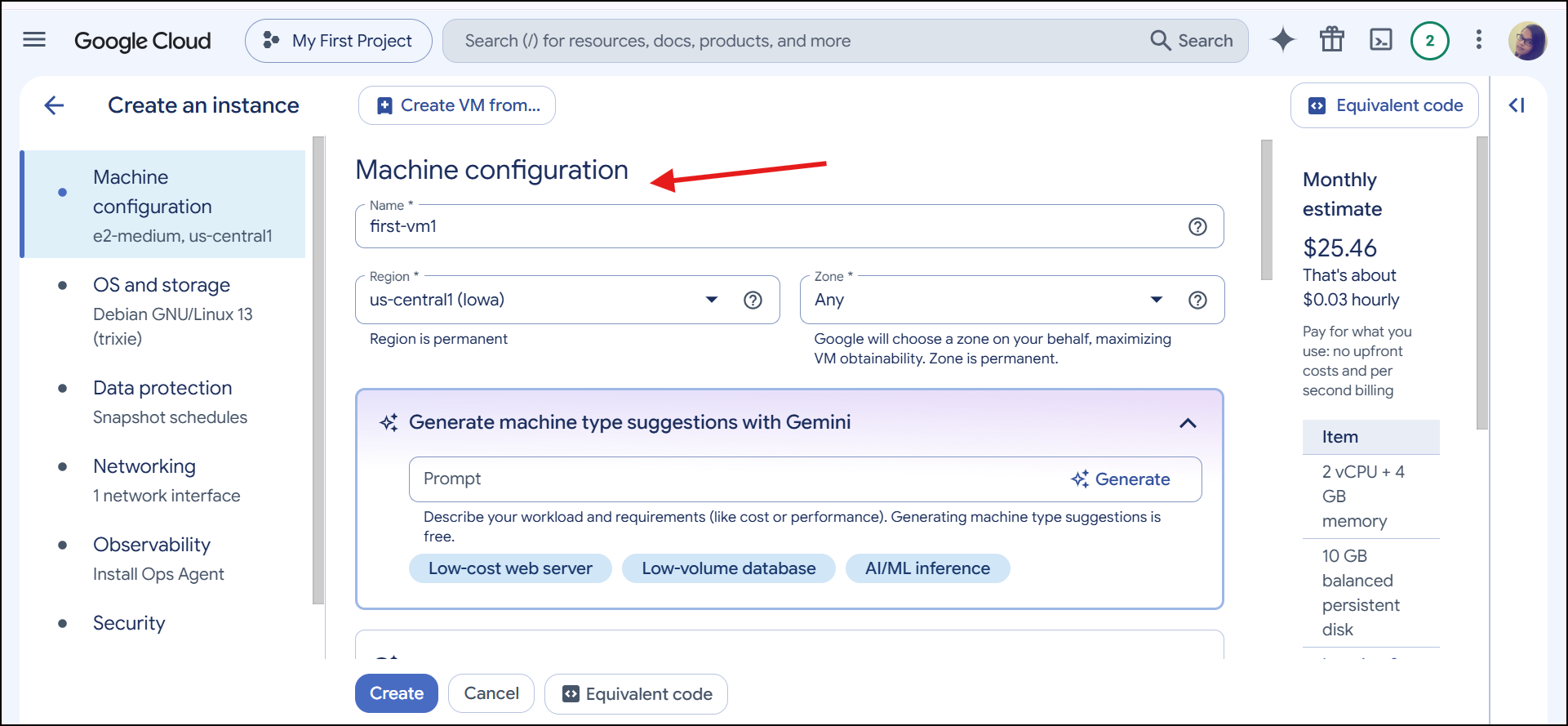
Step 2 — Select a machine configuration
Find the Machine configuration section. Depending on the current console layout, you'll see options for the machine family, series, and machine type.
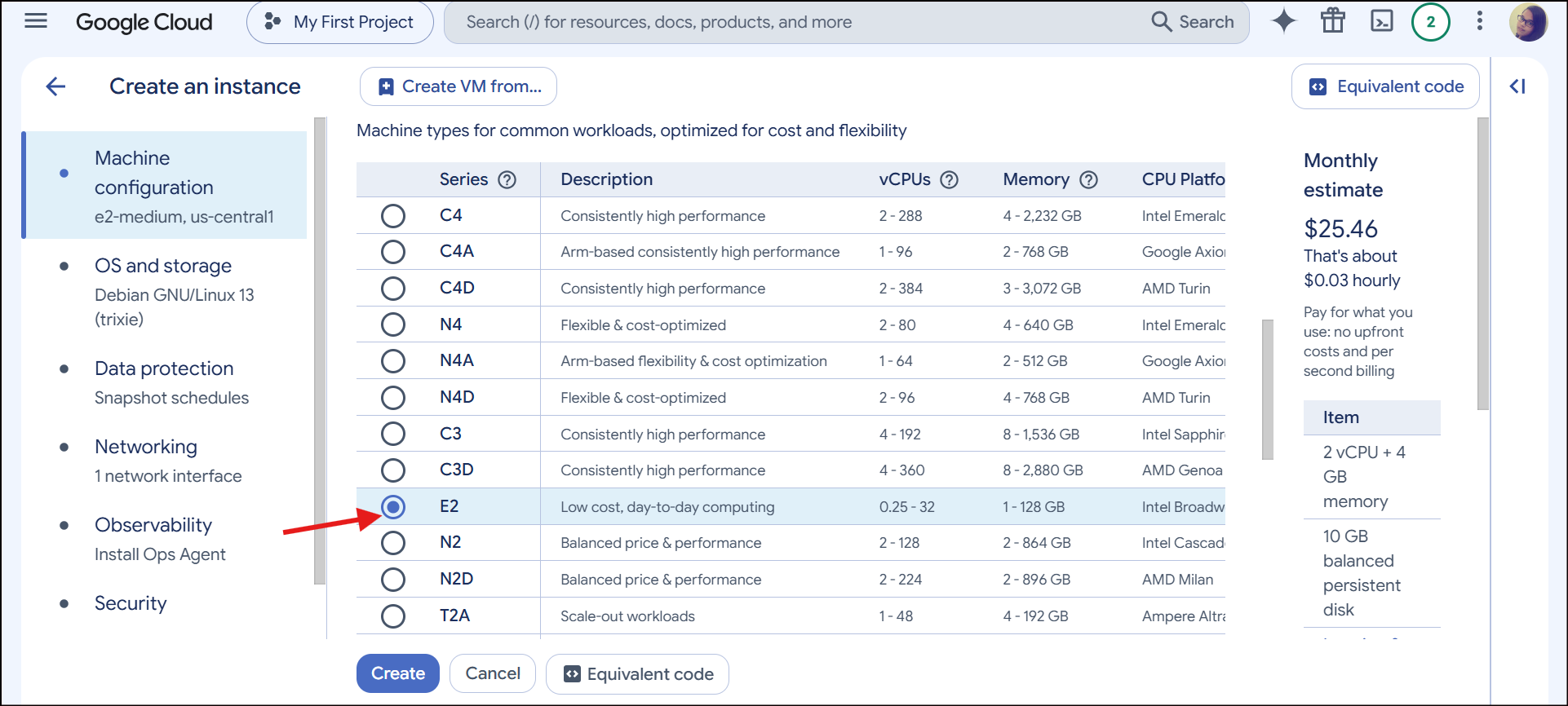
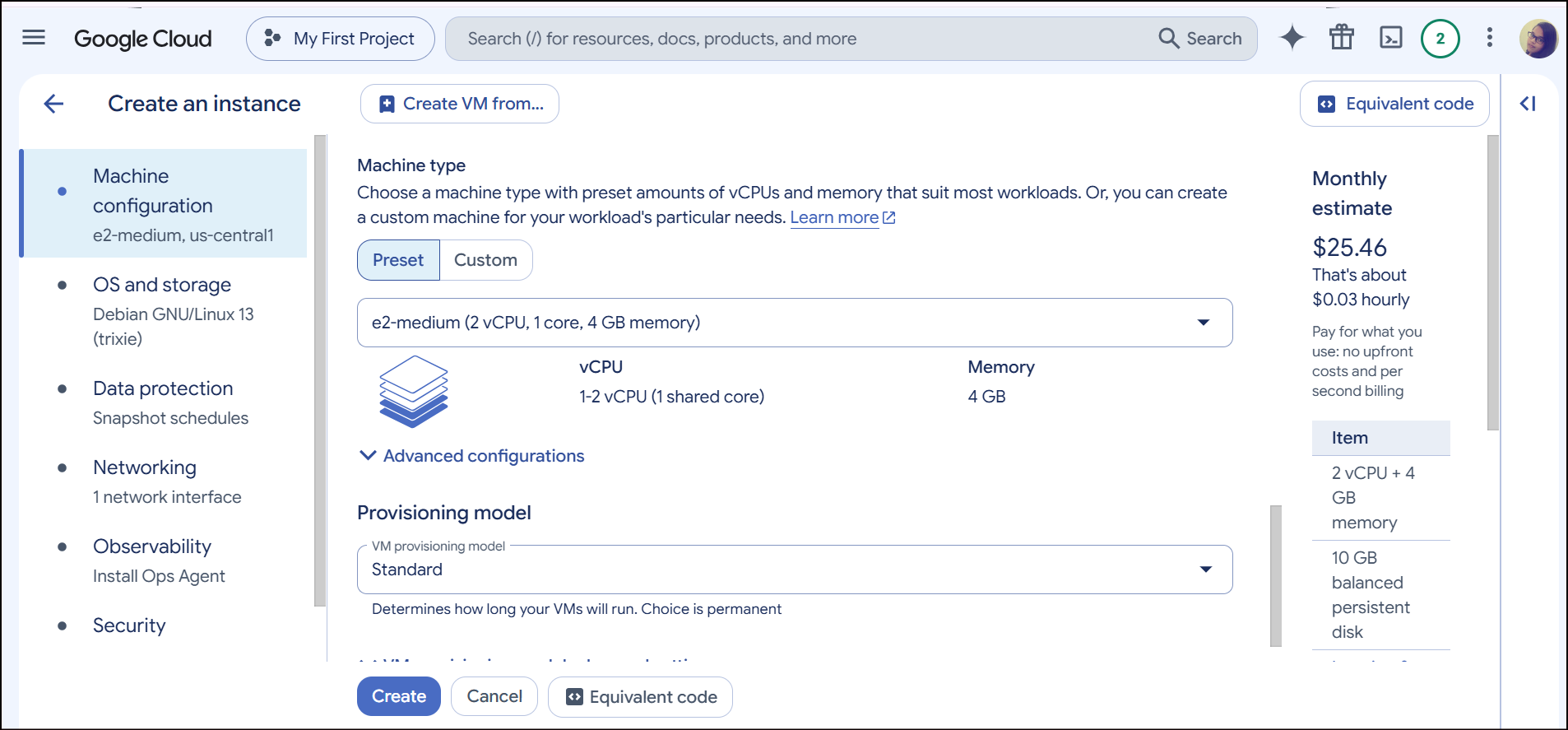
Step 3 — Choose a family and type
For a basic learning VM, select General-purpose → E2, then choose an appropriately small machine type available to your project and zone.
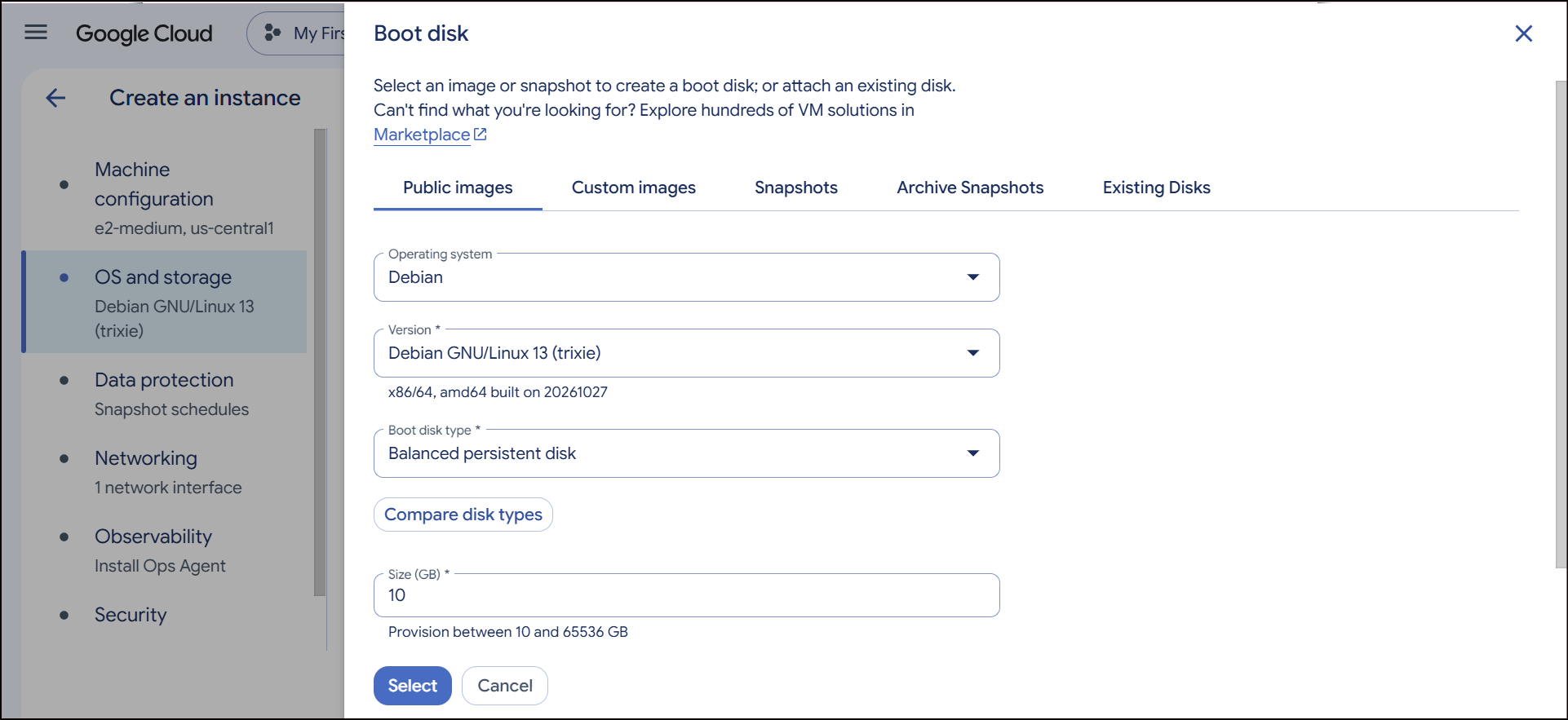
Step 4 — Choose OS and storage
*An image decides what OS and software your VM runs.
*Public images are ready-made (Debian, Ubuntu, Windows Server, SQL Server).
Step 5 — Choose networking for communication.
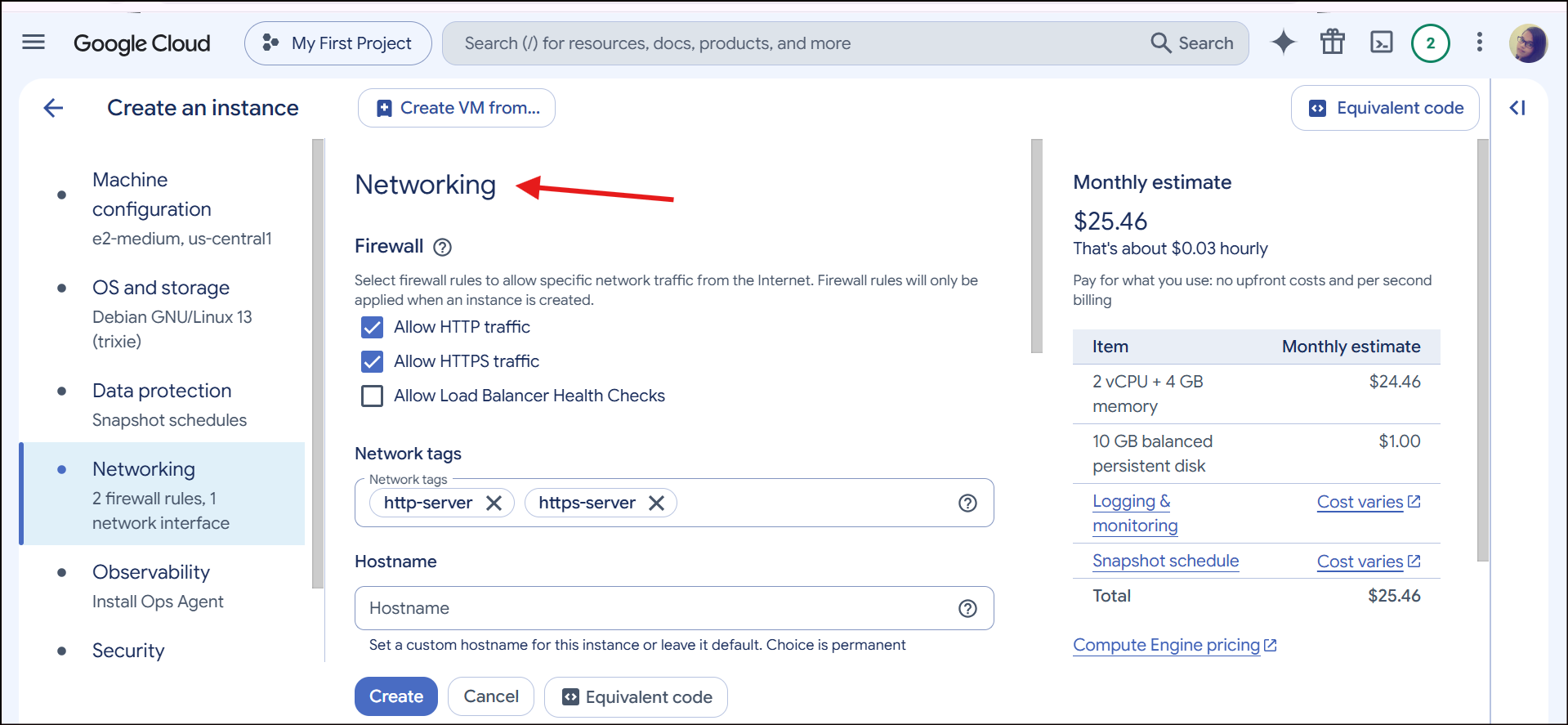
Step 6 — Review and create
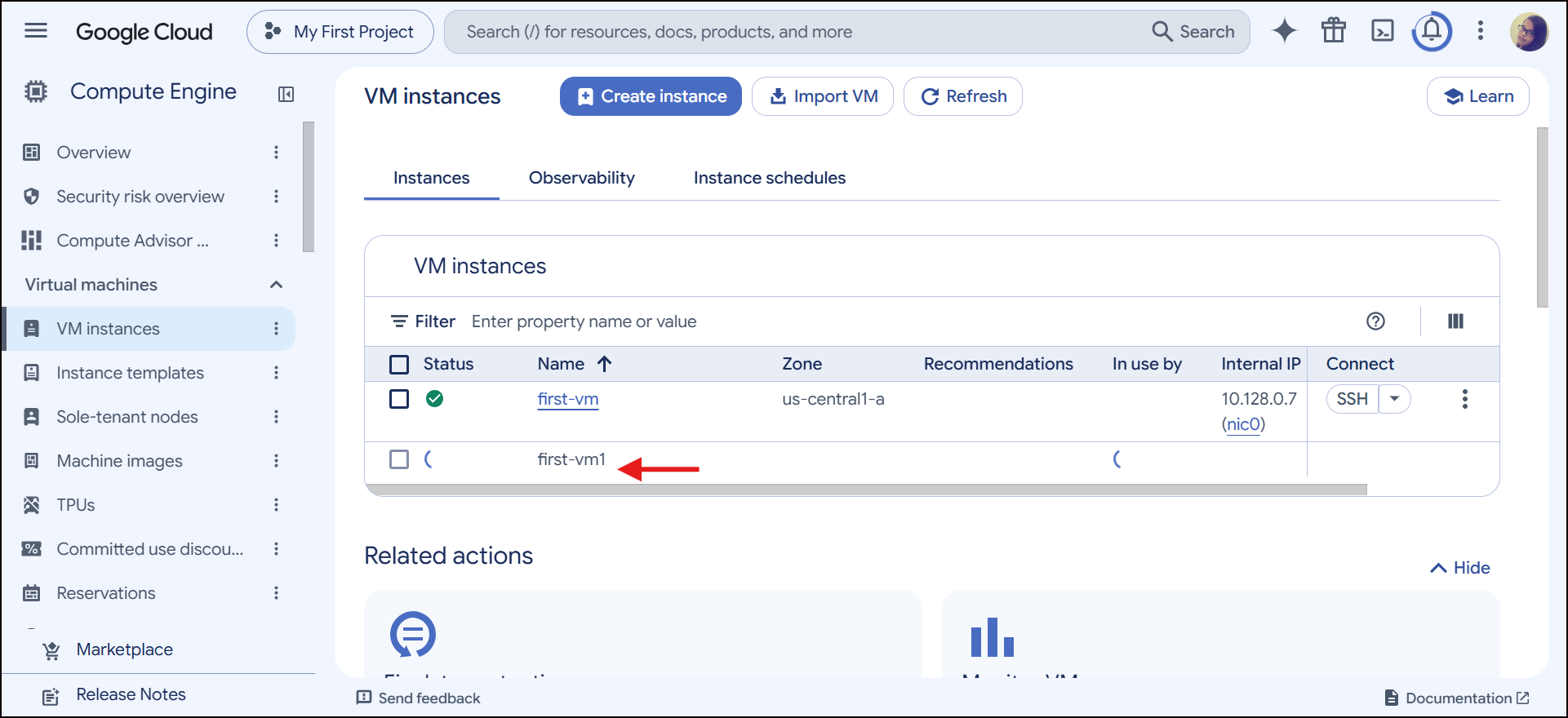
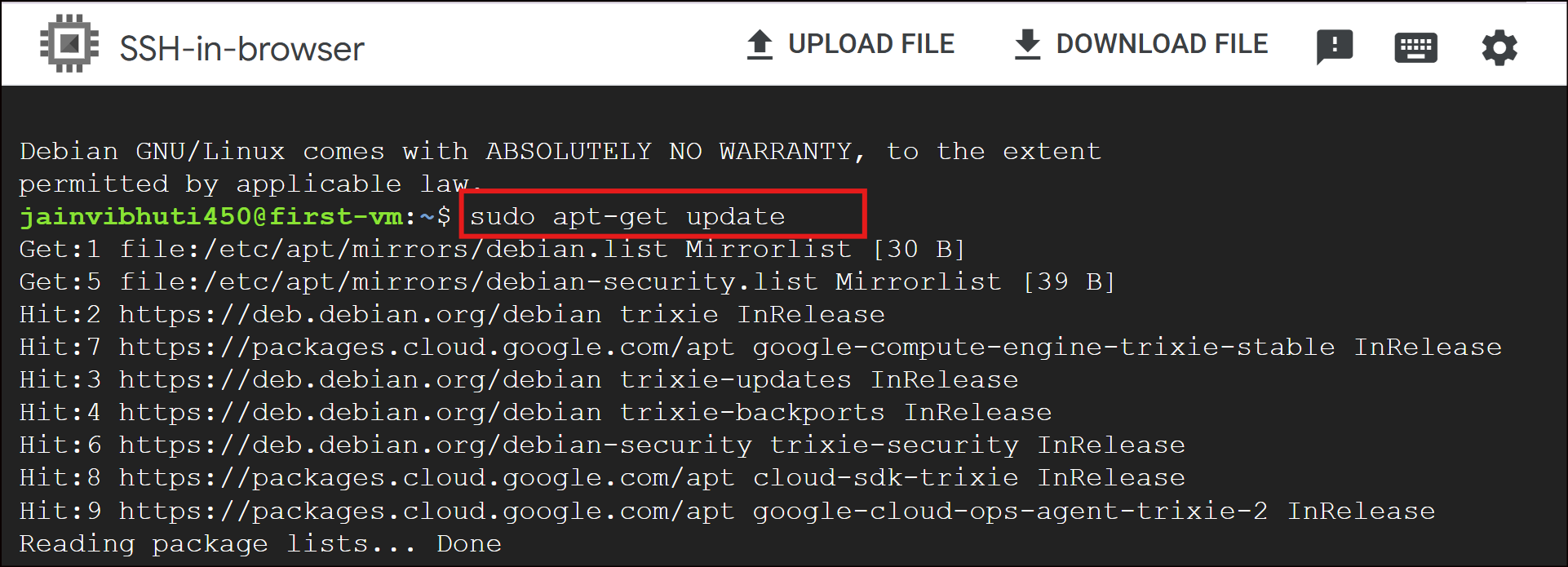
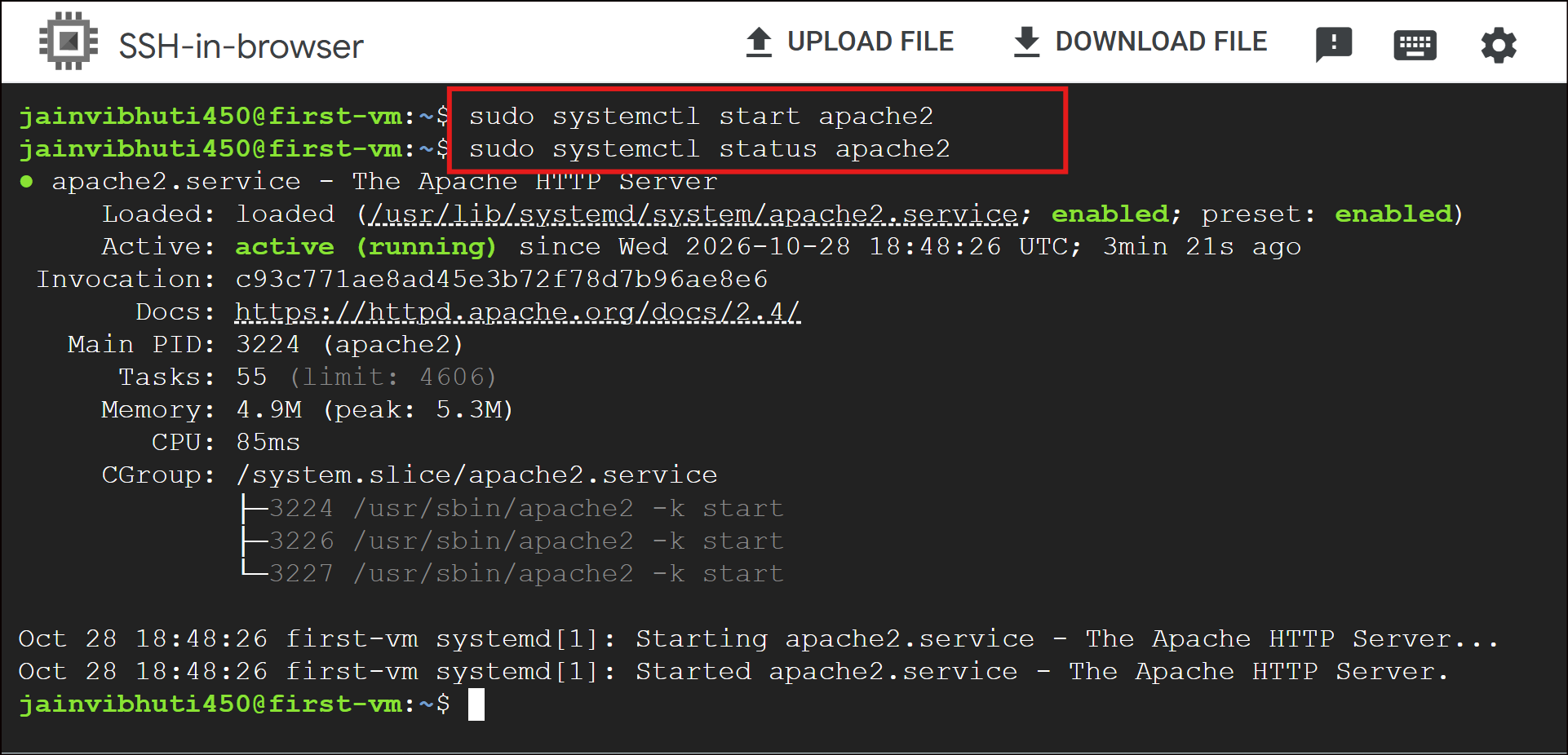
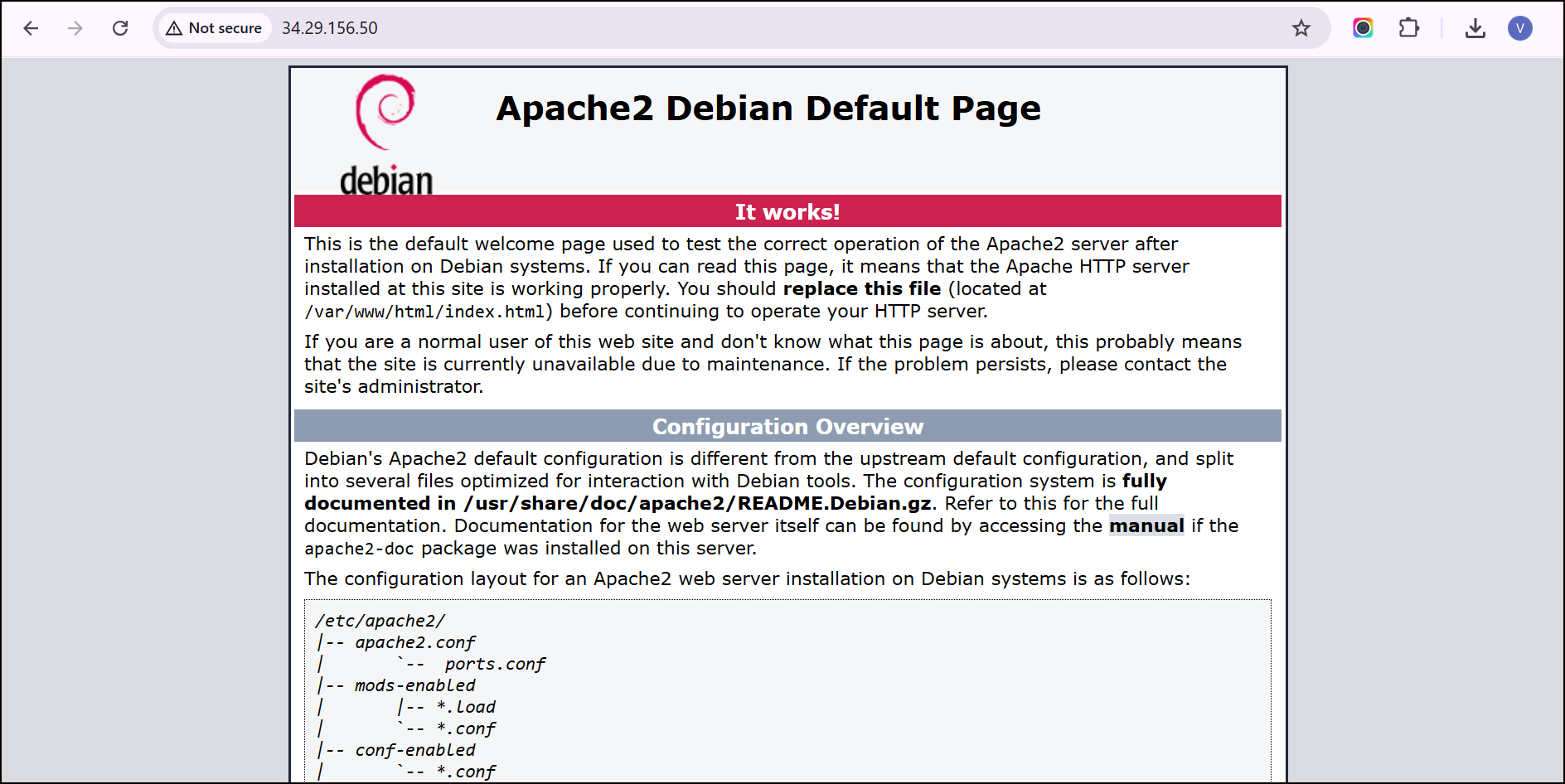
Hands-on: HTTP server
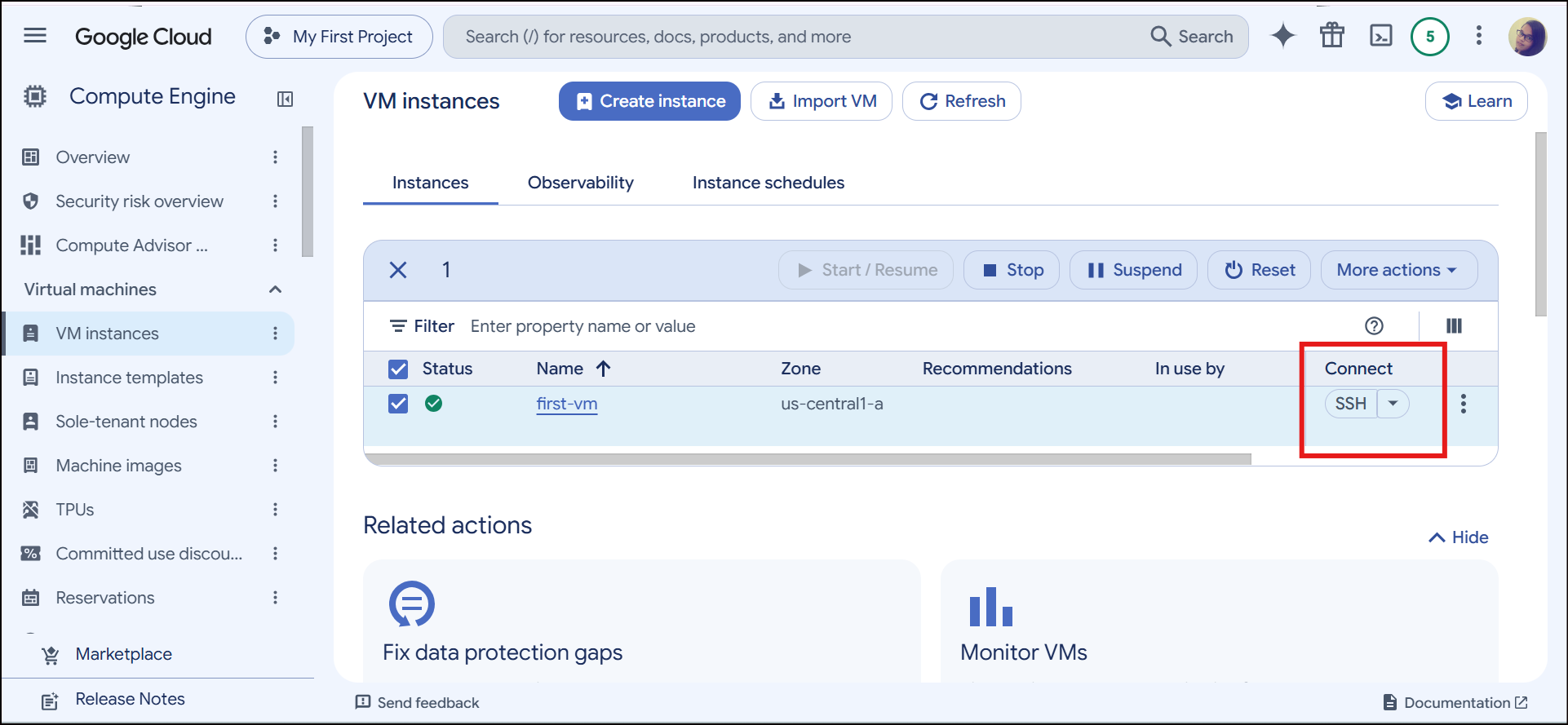
Connect to the VM via SSH
Task: Install Apache Server on VM
Your takeaway
Remember this simple rule: Choose the family based on the workload, then choose the machine type based on the resources you need.
About the author
Hi, I am Vibhuti Jain. A Devops Tools enthusiastic who keens on learning Devops tools and want to contribute my knowledge to build a community and collaborate with them. I have a acquired a knowledge of Linux, Shell Scripting, Python, Git, GitHub, AWS Cloud and ready to learn a lot more new Devops skills which help me build some real life project.
Comments
Join the discussionNo comments yet. Be the first to comment.
GCP Google Cloud Provider
A hands-on series on Google Cloud Platform: core services, setup guides, and practical tips for DevOps and cloud engineers.”